
Helix
To install the Slint Language server, check the LSP Documentation.
Helix ↗ works out of the box without further configuration. To check if Helix detects Slint Language server successfully, run this command:
hx --health slintbash
The output should be like:
Configured language servers: ✓ slint-lsp: /home/user/.local/bin/slint-lspConfigured debug adapter: NoneConfigured formatter: NoneHighlight queries: ✓Textobject queries: ✓Indent queries: ✓plaintext
Live Preview
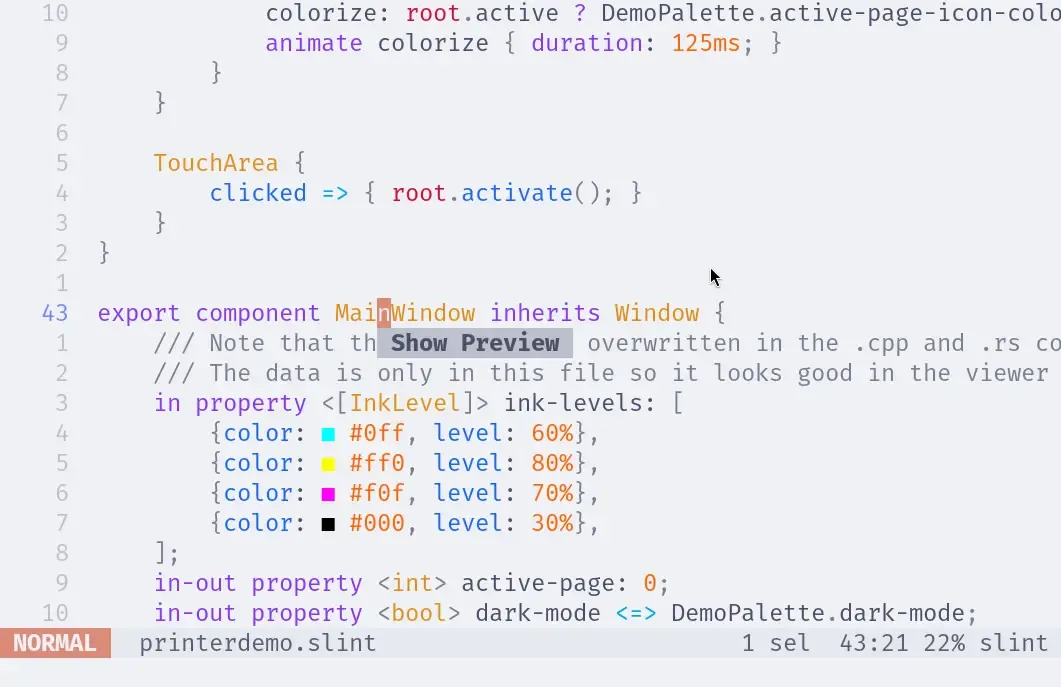
Section titled “Live Preview”To open the live preview, place the caret over a component name and trigger the code actions (bound to <space>a by default).
Depending on your configuration, this action might be bound to something else, so please check your configuration for the appropriate key binding (code_action).
© 2026 SixtyFPS GmbH