
(Neo-)Vim
To install the Slint Language server, check the LSP Documentation.
Vim support the Language Server Protocol via its Conquer of Completion ↗
plugin. Together with the Slint LSP server, this enables inline diagnostics and code completion when
editing .slint files.
After installing the extension, for example via vim-plug ↗, two additional configuration changes are needed to integrate the LSP server with vim:
- Make vim recognize the
.slintfiles with the correct file type
Install the slint-ui/vim-slint ↗ plugin.
Alternatively you can add the following to your vim configuration file (e.g. vimrc) to
enable automatic recognition of .slint files:
autocmd BufEnter *.slint :setlocal filetype=slint-
Make sure the slint language server is installed and can be found in PATH.
-
Configure Conquer of Completion to use the Slint LSP server
Start vim and run the :CocConfig command to bring up the buffer that allows editing
the JSON configuration file (coc-settings.json), and make sure the following mapping
exists under the language server section:
{ "languageserver": { "slint": { "command": "slint-lsp", "filetypes": ["slint"] } }}Neovim
Section titled “Neovim”Follow step 1. of the Vim section to get support for .slint files.
The easiest way to use the language server in Neovim is via the neovim/nvim-lspconfig ↗ plugin.
To install the language server you can:
- install and configure manually
- install Mason ↗ and run
:MasonInstall slint-lsp(on Windows, Linux and macOS)
Live Preview
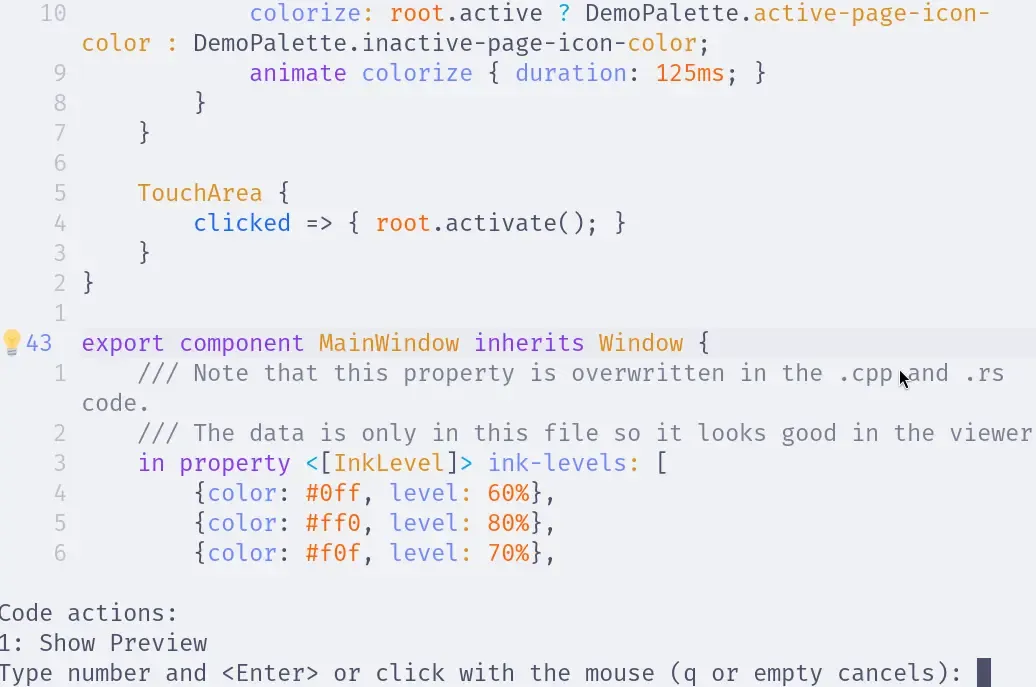
Section titled “Live Preview”Once the slint-lsp language server is installed and running, you can open the live preview
by placing the caret over a component name and triggering the code actions (bound to gra by default).
Depending on your configuration, this action might be bound to something else, so please check your configuration for the appropriate key binding (vim.lsp.buf.code_action()).
You may also want to install a plugin that indicates when code actions are available like kosayoda/nvim-lightbulb ↗.
Example with nvim-lightbulb:
Tree-sitter
Section titled “Tree-sitter”If you use nvim-treesitter you can install the Tree Sitter parser for Slint using TSInstall slint
for syntax highlighting and indentation support.
© 2026 SixtyFPS GmbH